
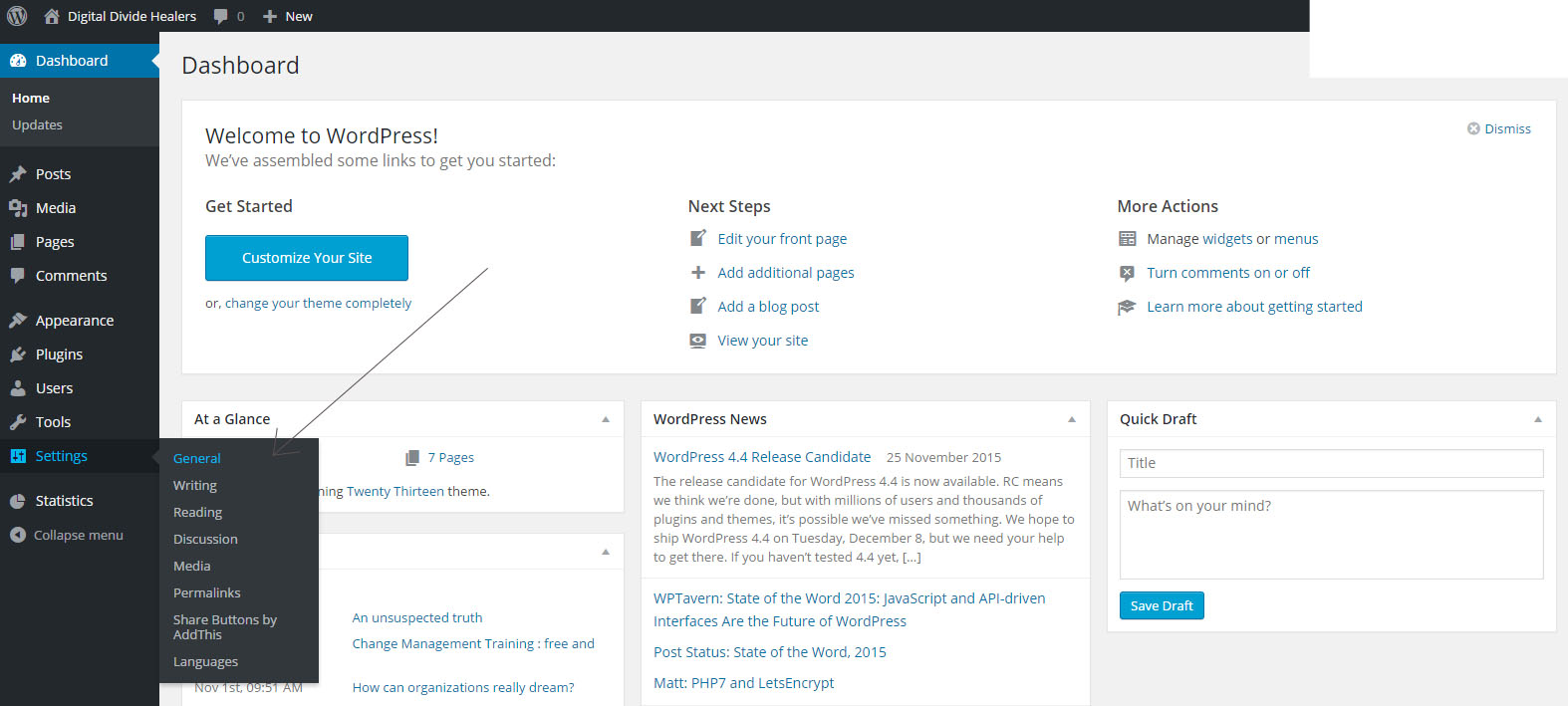
- Go to your "Dashboard"
- Click on the "settings" button and go to "general"
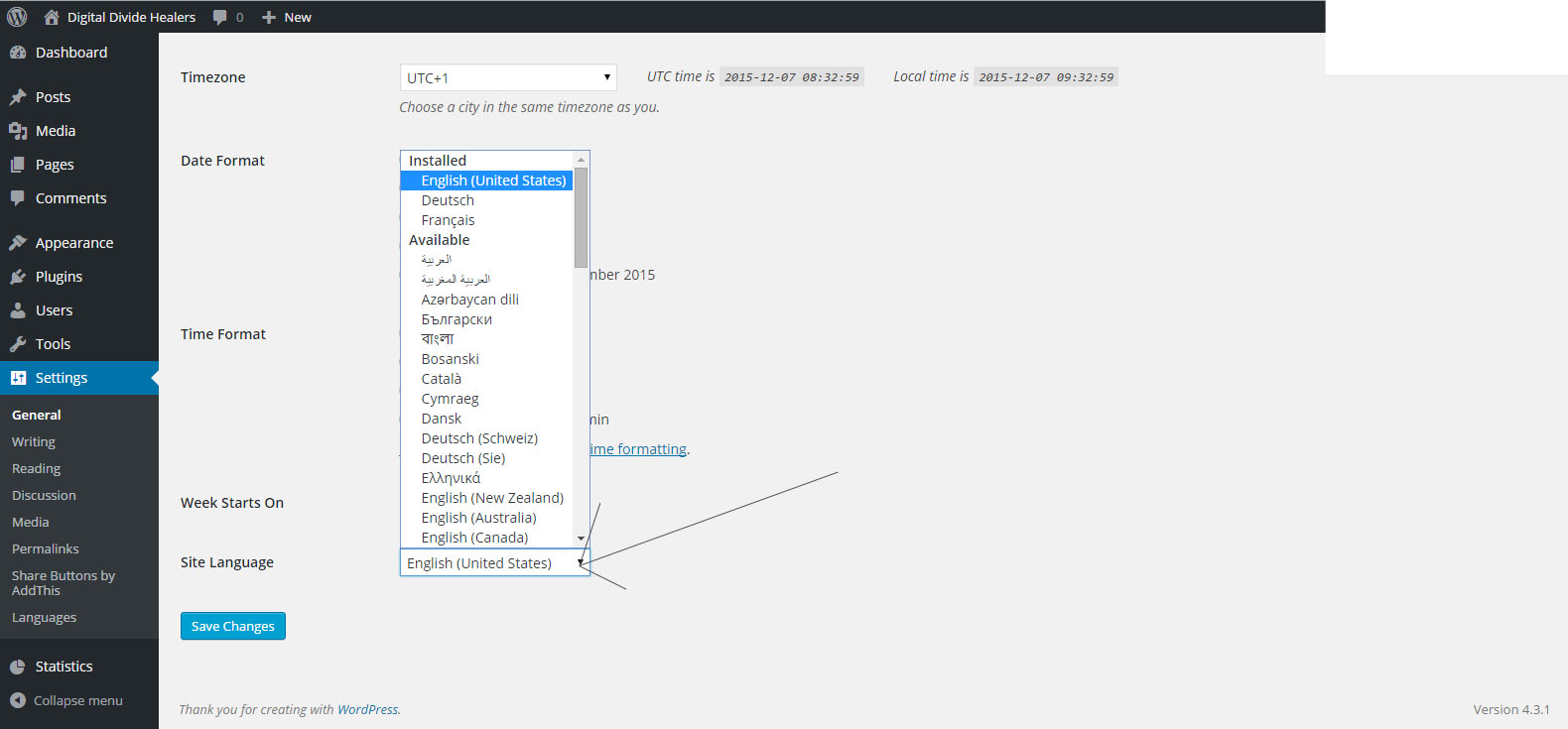
- Choose your language in "site languages"(image)
- When you have choose your languages click on "save your changes"
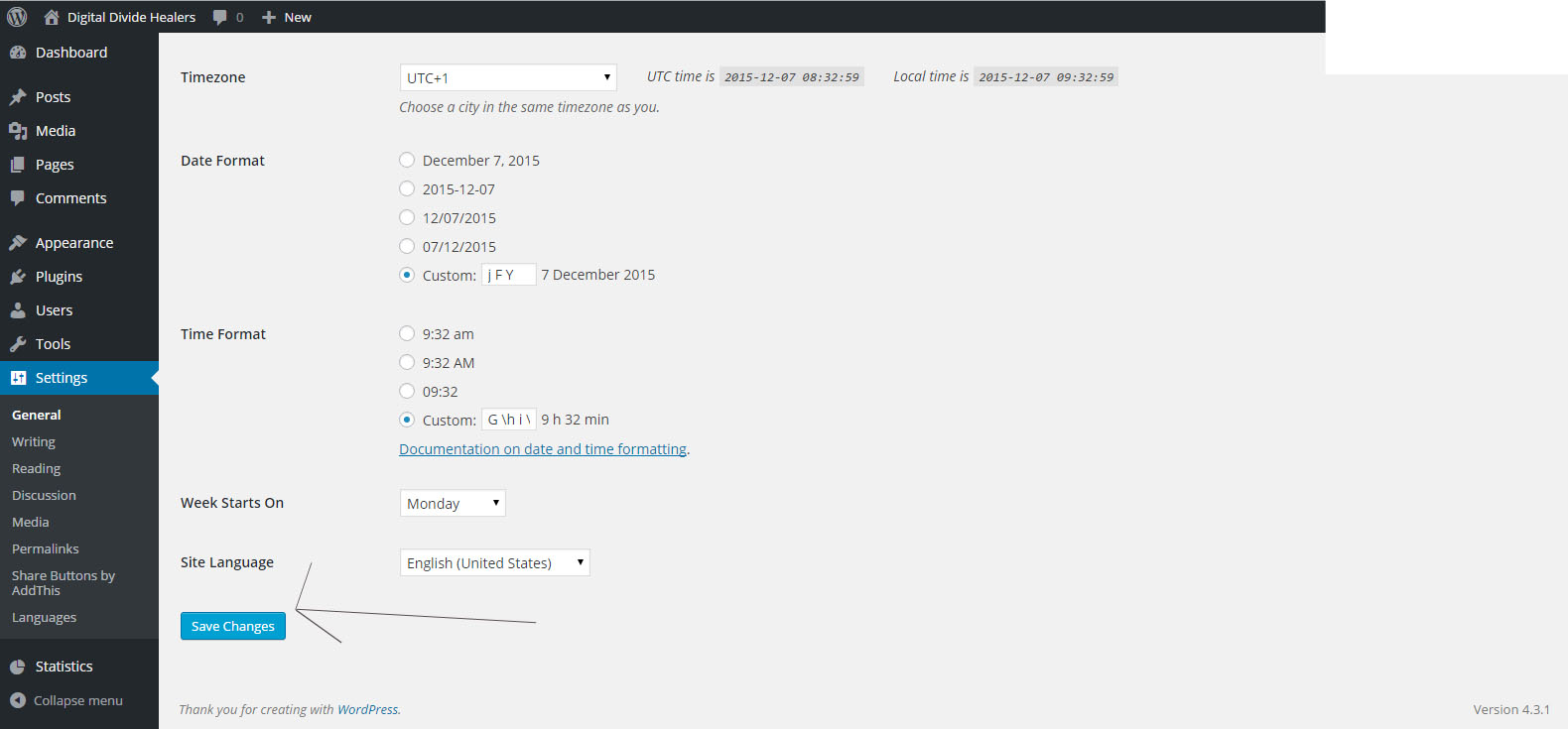
- Now the language in your Wordpress site is changed
Change the language of the Dashboard to manage your Wordpress site Print
Modified on: Mon, 7 Dec, 2015 at 12:43 PM
Did you find it helpful? Yes No
Send feedbackSorry we couldn't be helpful. Help us improve this article with your feedback.