
- Go to your Dashboard
- Click on "plugin" and select "add new"
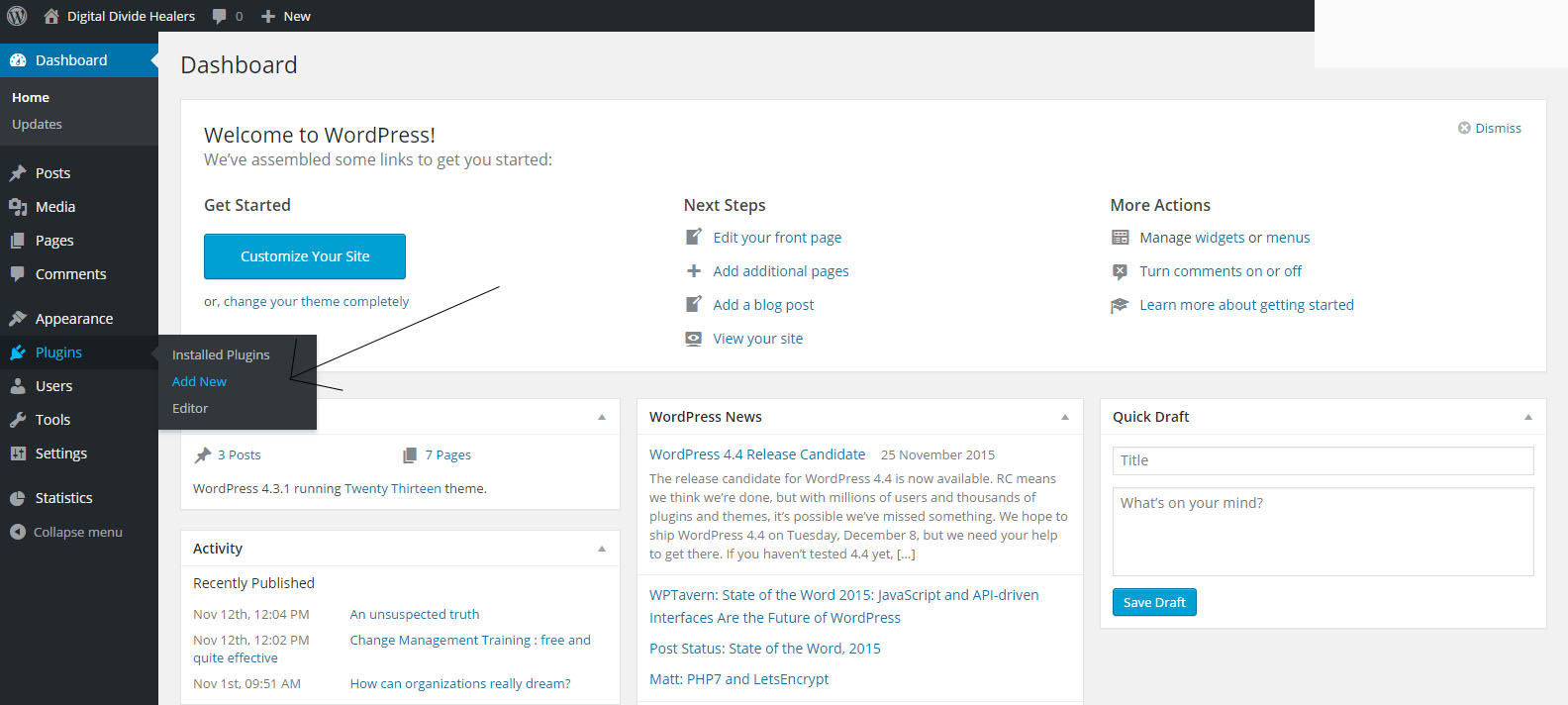
- Here you can search your add-on or check the new plugin
- Once you have find your plugin ,click on "Install now" and confirm with "ok" button
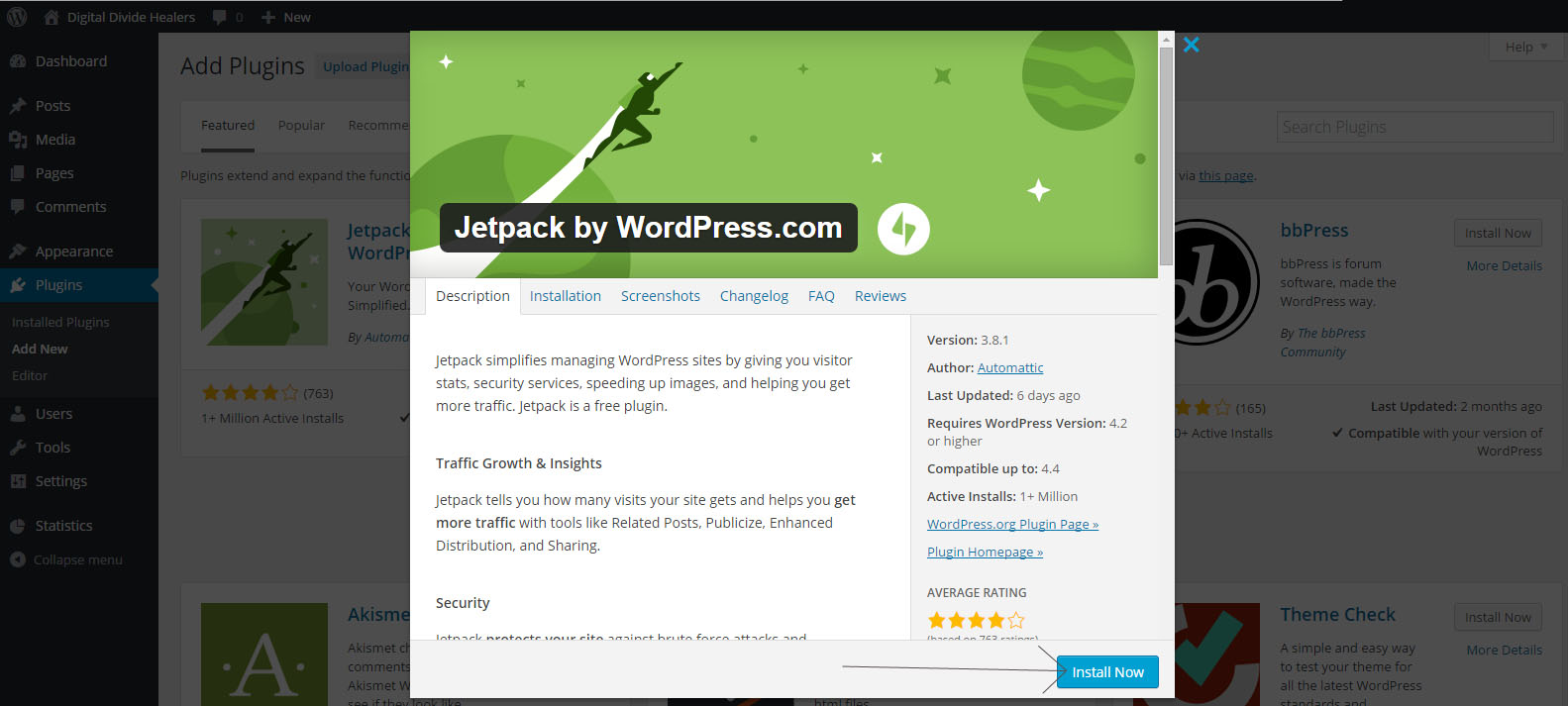
- Wait for the installation then "activate" the plugin with the "ok" button

- You can go to "Plugins" to manage your plugin and instal or desinstall it
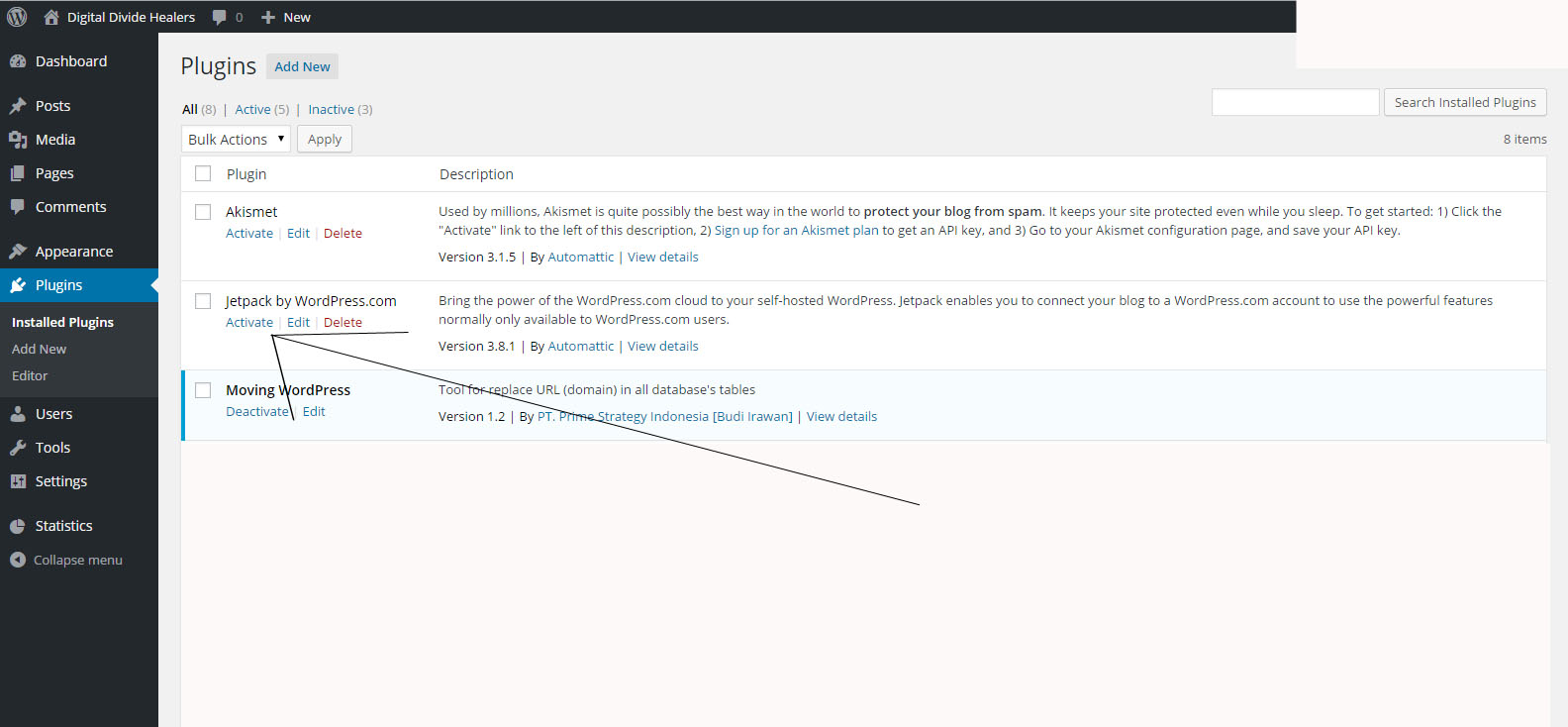
- Depending on the Plugin, you can have some configuration to perform (in the plugins page or in the tools page).
Installation of a new Plugin Print
Modified on: Mon, 7 Dec, 2015 at 12:51 PM
Did you find it helpful? Yes No
Send feedbackSorry we couldn't be helpful. Help us improve this article with your feedback.