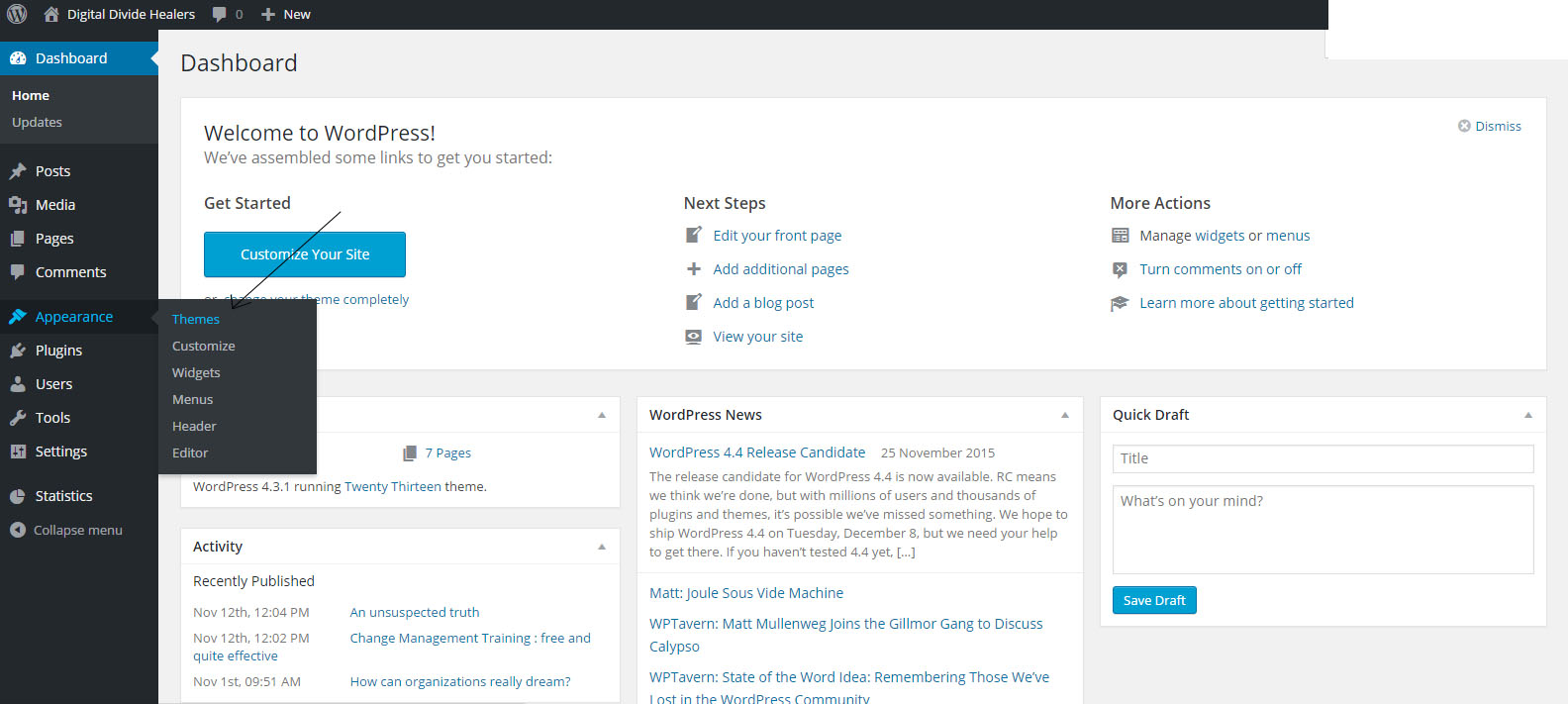
1.Go to "apparance" then choose "theme".
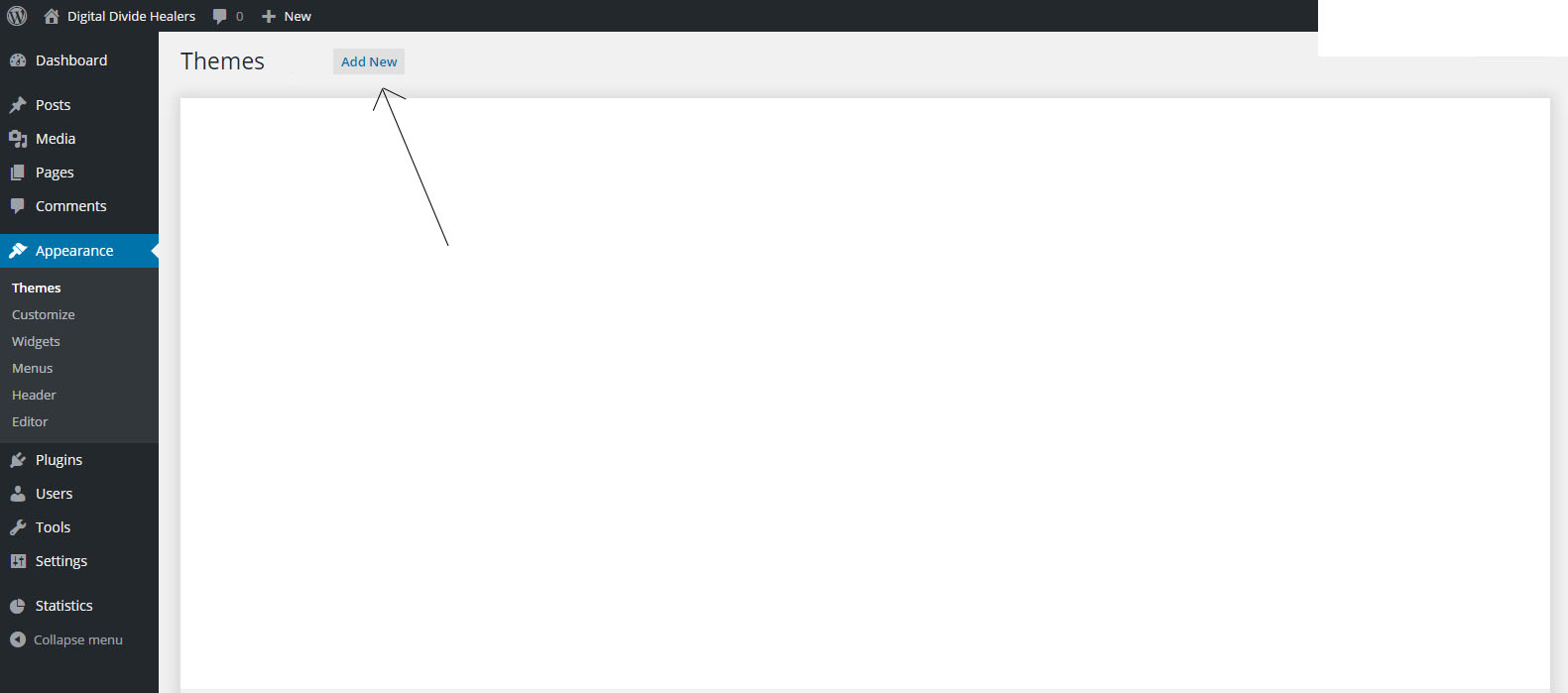
2.Clik on the "Add new" button
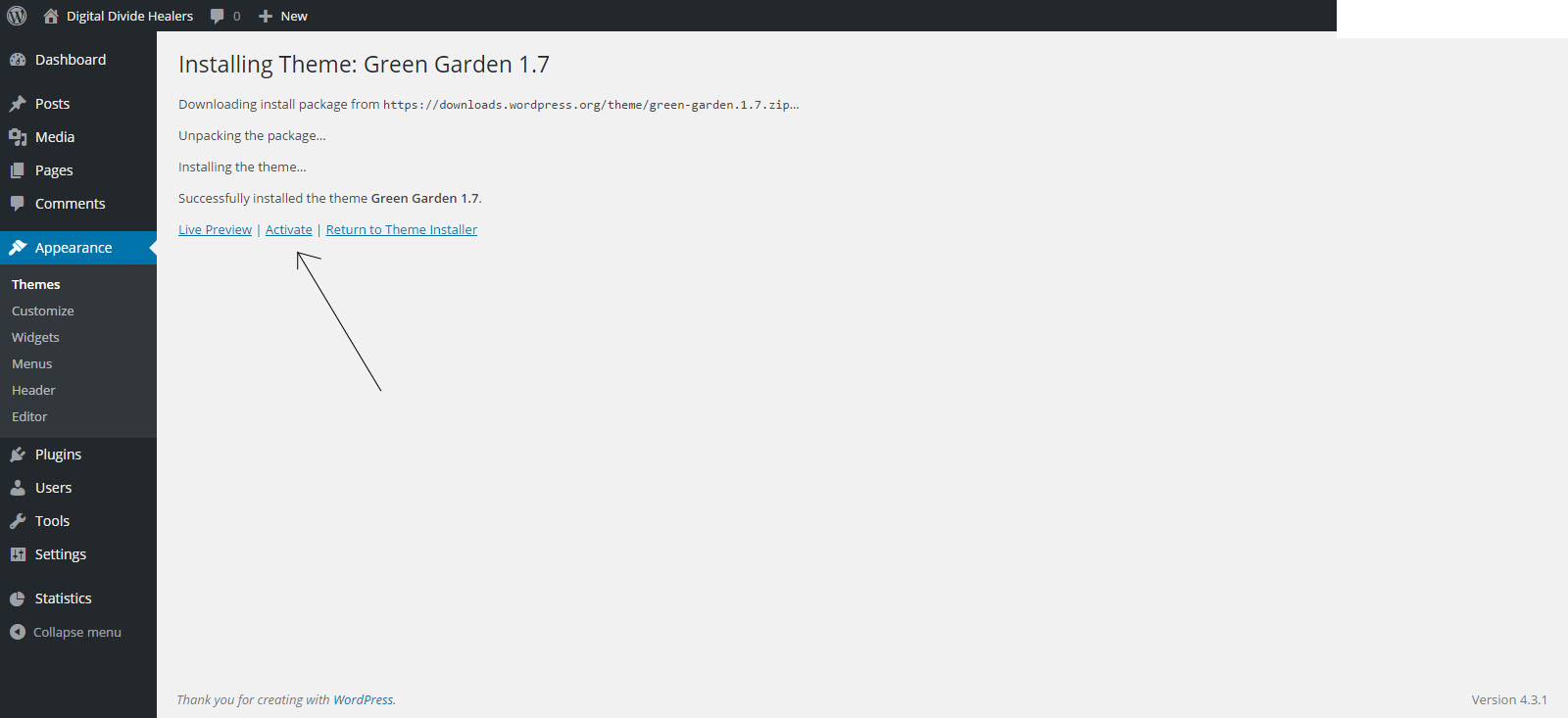
3.On the new page that will appear choose your theme and click on "install".
4.Once the theme is installed clik on "activate"
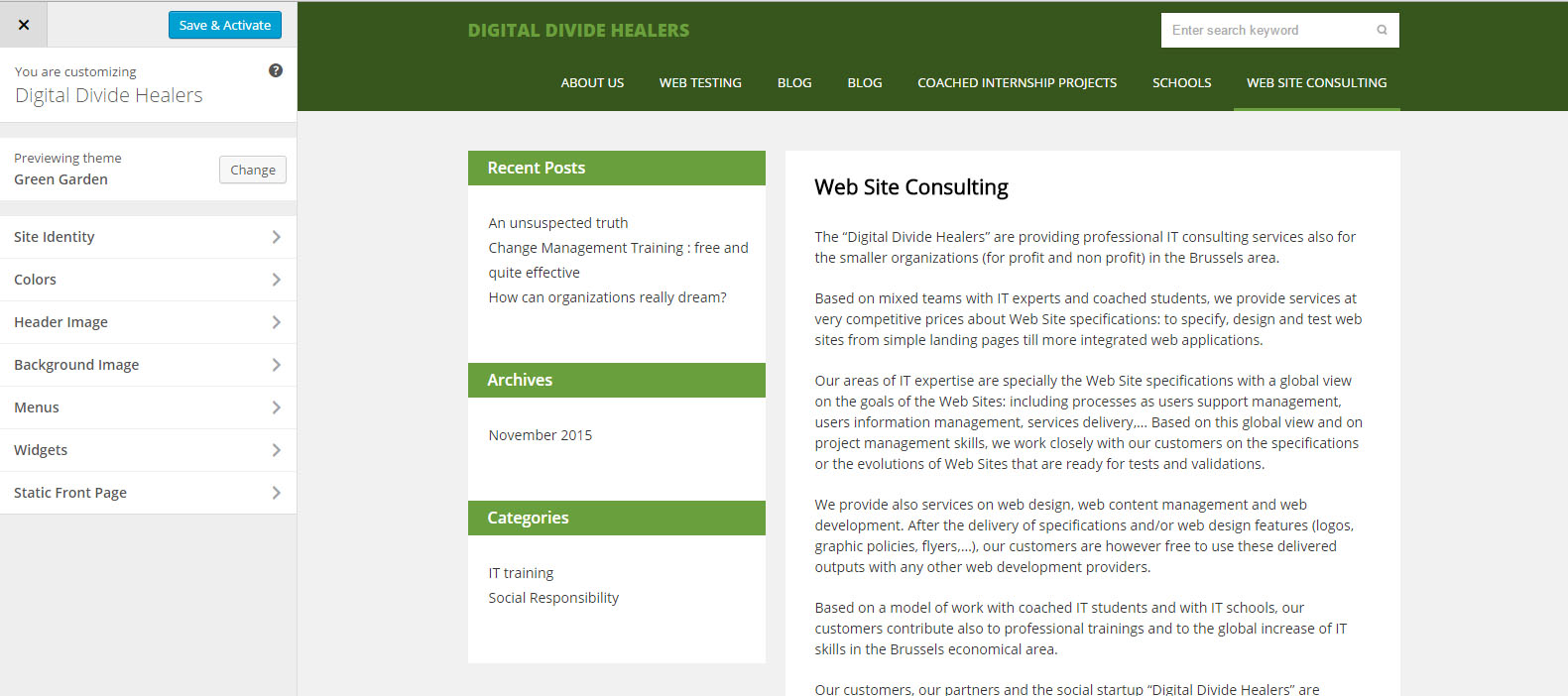
Check out your result :

Modified on: Mon, 7 Dec, 2015 at 12:46 PM
1.Go to "apparance" then choose "theme".
2.Clik on the "Add new" button
3.On the new page that will appear choose your theme and click on "install".
4.Once the theme is installed clik on "activate"
Check out your result :
Did you find it helpful? Yes No
Send feedback