
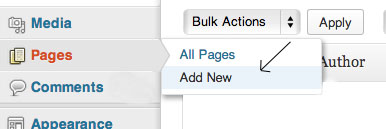
1. Go to your Dashboard and click Pages
2. Click "Add New" and enter the title of your page, for example Home:
3. Click Publish
4. Click Add again to create a new page to have enough to create your menu.
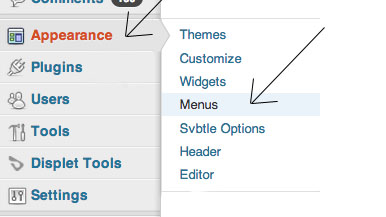
5. Now that your pages are created, go to Appearance, then click Menu:
6. Once in Menu, click Create a new menu and give it a title and then save it.
7. Return to Pages, and click Show All and then select the pages in your menu that you previously created.
8. Then click the Add menu to verify that all your pages are posters as expected.
9. Now that your pages appear in your menu, you can arrange them in the order you want, while hold the left click on the pages you want to move and drag them to the desired location.
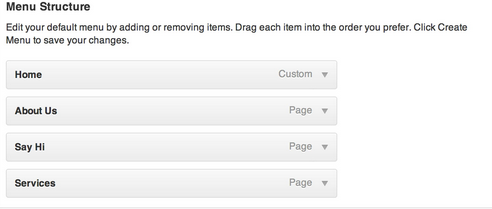
10. If you want to create a drop down menu, simply hold the left mouse button on the page that you want to see unfold.